
qBittorrent Controller4.9.2 - Get APK
You'll be able to download in few seconds.
Publisher Description
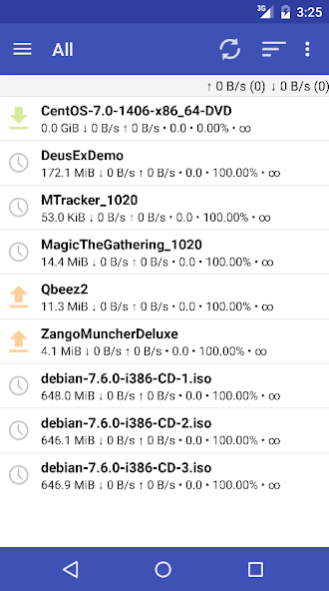
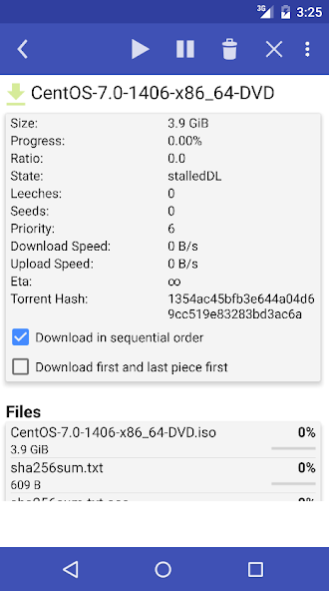
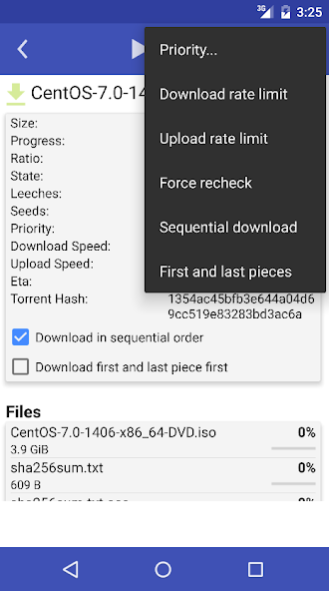
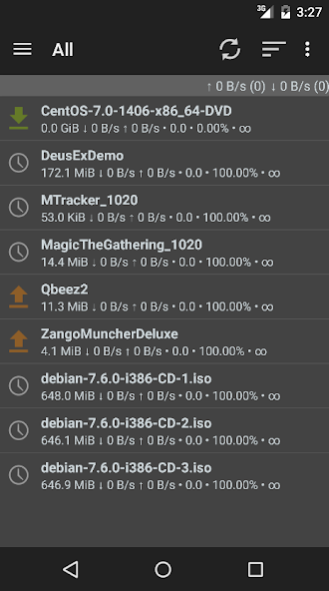
Open source application for handling qBittorrent servers (web UI).
DISCLAIMER:
- This application will not download torrents to your phone/tablet.
- In order to make it work you must have already configured your qBittorrent Web UI. Please check your server configurations with your browser before using this app.
- To start using the app, you must set your qBittorrent server's settings and account by selecting 'Settings' from the left menu.
If you need help setting the application check the documentation pages http://git.io/pQB5
FEATURES:
* Add torrents directly, by clicking the link on your device's browser or from downloaded .torrent files.
* Pause, resume, or delete with its downloaded data individual torrents. Pause or resume all torrents
* Set and save a connection accounts (up to three servers for the Pro version)
* Design for phone and tablets
* Support for server version: 4.1.x, 4.2.x
* Web server sub-folder publishing support
* Magnet support
qBittorrent Controller (free) vs. qBittorrent Controller Pro
Both versions have the same functions for handling qBittorrent servers, but the Pro version includes a nicer UI, the latest features and fixes, and it's Ads-free!!
About qBittorrent Controller
The company that develops qBittorrent Controller is Luis Gallardo. The latest version released by its developer is 4.9.2.
To install qBittorrent Controller on your Android device, just click the green Continue To App button above to start the installation process. The app is listed on our website since 2021-02-28 and was downloaded 0 times. We have already checked if the download link is safe, however for your own protection we recommend that you scan the downloaded app with your antivirus. Your antivirus may detect the qBittorrent Controller as malware as malware if the download link to com.lgallardo.qbittorrentclient is broken.
How to install qBittorrent Controller on your Android device:
- Click on the Continue To App button on our website. This will redirect you to Google Play.
- Once the qBittorrent Controller is shown in the Google Play listing of your Android device, you can start its download and installation. Tap on the Install button located below the search bar and to the right of the app icon.
- A pop-up window with the permissions required by qBittorrent Controller will be shown. Click on Accept to continue the process.
- qBittorrent Controller will be downloaded onto your device, displaying a progress. Once the download completes, the installation will start and you'll get a notification after the installation is finished.
Program Details
System requirements
Download information
Pricing
Version History
version 4.9.2
posted on 2021-02-28
* Fix filter paths
Thanks @chakli at Github!
version 4.9.1
posted on 2021-02-22
* Enables copying torrent details like path
* The path input of the add new torrent compares based on any substring from path and not the beginning of the path (String.compare)
Thanks @chakli at GitHub!
version 4.9.0
posted on 2020-12-08
* Fix details fragment "flickering"
* Fix download text view in tablet layout
Thanks David Hodges (@daveeeh)
version 4.8.9
posted on 2020-10-29
* Change port behaviour for nginx
* Improve code
version 4.8.8
posted on 2020-08-02
Add "Force resume" option
version 4.8.7
posted on 2020-05-16
* Remove ads space in Pro version
* Fix Progress, Size, ETA, and Download / Upload Speed comparators
* Remove Host and Referer headers
version 4.8.6
posted on 2020-03-23
* Fix breaking status bar top
* Add footer status bar
version 4.8.5
posted on 2020-03-07
Fix content-type header issues (which can be related to reverse-proxy issues)
version 4.8.4
posted on 2020-01-15
* Fix category and save path spaces and + issue
* Fix host and referer params
version 4.8.3
posted on 2020-01-12
* Fix left menu flickering
* Fix app icon sizing
Disclaimer
External Download
We do not host qBittorrent Controller on our servers. We did not scan it for viruses, adware, spyware or other type of malware. This app is hosted by Galad and passed their terms and conditions to be listed there. We recommend caution when installing it.
The APK Download link for qBittorrent Controller is provided to you by apps112.com without any warranties, representations or guarantees of any kind, so access it at your own risk.
If you have questions regarding this particular app contact the publisher directly. For questions about the functionalities of apps112.com contact us.
